Start with what is true. For one person with one task, an AI agent app is a good purchase. You open it, describe what you want in a sentence, and it goes off to compare six suppliers, fill in a form or tidy a spreadsheet while you do something else. A few years ago that needed a developer.
The trouble begins when a company reads that personal success as a plan. Someone on the leadership team sees the app work on their own laptop and asks why accounts, sales and logistics are not all using it. The answer has little to do with the app's quality. A personal assistant and a company routine are different jobs, and most of the products sold under this name were designed for the first one.
This article covers what an AI agent app is, whether ChatGPT counts, the three kinds on sale, how often they finish real work, and why team rollouts stall. It ends on what the next round of better models is likely to change.
What is an AI agent app?
An AI agent app is software that takes a goal in plain language and carries out the steps to reach it, using other tools along the way. A chat assistant writes you an answer. An AI agent opens the browser, reads the page, clicks the button and comes back with the result, deciding the order of steps as it goes.
The "app" half of the phrase covers several different things. Search for it and you get phone apps that wrap a chat model, agent modes inside the big assistants, platforms where you assemble an agent from blocks, and developer documentation on building agents into your own product. All of them match the words. They share a model at the center and very little else.
For a business reader, the definition that matters is narrower. An agent app is worth the name when it can act inside the systems where your work lives, your inbox, your CRM, your ERP, with permission to change something. An app that can only talk about your work is still a chatbot, whatever the listing calls it.
Is ChatGPT an AI agent app?
Partly. ChatGPT began as a chat assistant and has since gained an agent mode that can browse, run code and complete tasks on a virtual computer. Claude and Gemini have followed the same path, and products such as Manus were built as agents from the start. ChatGPT today is a chat app with an agent inside it.
How people use these apps says a lot about what they were built for. Pew Research Center found that 44% of U.S. adults said they had used ChatGPT in a February 2026 survey, up from 18% in 2023. Pew notes the 2026 question was worded differently, so the series shows the direction better than the exact rate.
OpenAI's own research points the same way from a different angle. Its September 2025 study of 1.5 million conversations found roughly 70% of consumer usage was unrelated to work and roughly 30% was work-related. Pew counted people and OpenAI counted messages on consumer plans, so the two figures are not the same measurement. Together they describe a product that spread person by person, mostly for personal errands, and reached the office second.
That history shapes the software. An app that grew around one user and one conversation assumes that the person who asked is the person who checks the result. Inside a company, that assumption fails quickly.
Three kinds of AI agent app, by who does the work.
The products that answer this search fall into three groups, and the difference between them is how much of the job lands on you. Their feature lists look alike, and the division of labor is where they part.
The first group is personal agent apps: ChatGPT's agent mode, Claude, Gemini and Manus. You type a request, the agent works on it once, and you review what comes back. Nothing is set up in advance and nothing is left running afterwards. They suit research, one-off admin and anything you would otherwise hand to an assistant for an hour.
The second group is builder apps. Lindy, Zapier Agents and Microsoft Copilot Studio let you configure an agent that keeps a job: it has a trigger, instructions, connected accounts and a schedule. The agent can now run without you at the keyboard. In exchange, someone in your company becomes its author, and later its mechanic.
The third group is managed agents with an app on top. Here a supplier builds the agent, runs it and repairs it, and what you see is a screen showing what it did. Uplift belongs to this group: you describe the routine in plain language and we build, run and maintain the agent. It is barely an "app" in the download sense, and it answers the same need.
| Personal agent app | Builder app | Managed agent | |
|---|---|---|---|
| Who sets it up | Nobody, you just ask | Someone on your team | The supplier |
| Who checks the output | You, every time | Whoever built it | The supplier, with your approval steps |
| Who repairs it | Not applicable | Your team | The supplier |
| What you hold afterwards | A chat history | An agent you configured, on their platform | A running routine, for as long as the plan runs |
| Usual pricing | Per seat, often with usage limits | Per seat plus usage | Flat price per package of agents |
Look at the fourth row. With a managed agent you do not end up owning code, and the routine stops when the plan stops. Some companies want to finish the project holding software they own. A development shop sells that and a managed service does not, which is worth knowing before the first sales call.
How reliable are AI agent apps on real work?
On short, well-defined tasks they are very reliable, and on long multi-step tasks they still fail more often than they succeed. Both halves of that sentence come from published measurements, and a buyer needs both.
Researchers led by Carnegie Mellon built TheAgentCompany, a simulated software firm with 175 tasks drawn from ordinary office roles: finance, HR, project management, engineering. The strongest agent they tested completed 30% of the tasks without help. The first version of the paper, from December 2024, reported 24%, so the line is moving up, from a low start.
The research group METR explains why the two halves coexist. In its March 2025 analysis, models succeeded almost every time on tasks that take a person under four minutes and less than 10% of the time on tasks that take a person more than about four hours. METR also found the length of task an agent can finish has been doubling roughly every seven months.
So the 30% and the "almost 100%" do not contradict each other. They measure different lengths of work. A personal request such as "find me three hotels near the venue" is a four-minute task. A company routine such as "match every delivery note to its purchase order and flag the gaps" is hours of chained steps, repeated daily, where one wrong step spoils the run.
This is why the agents that hold up in production tend to contain less AI than the name suggests. The steps that can be written as ordinary tested code are written that way, and the model handles only the parts that need reading or judgment. Our own split is 95% tested code, 5% AI.
Why does an agent app that works for one person stall across a team?
It stalls because a team routine needs four things a personal app session never had: shared access, a schedule, a record and an owner. The app is just as capable on every laptop, and none of those four comes with it.
Take the same task twice. When you ask an agent app to chase three overdue invoices, it uses your login, runs when you press enter, and reports to you. When the finance team wants every overdue invoice chased every morning, the agent needs its own credentials in the accounting system, a trigger that fires without a person, a log somebody can audit, and a named human who hears about it when a run goes wrong.
Most rollouts skip this and buy seats. The record of that approach is not encouraging. Zylo's 2026 SaaS Management Index, built on more than 40 million licenses, found that organizations leave an average of 36% of their SaaS licenses unused. Okta's Businesses at Work 2025 report put the average company at 101 apps before any agent app arrived.
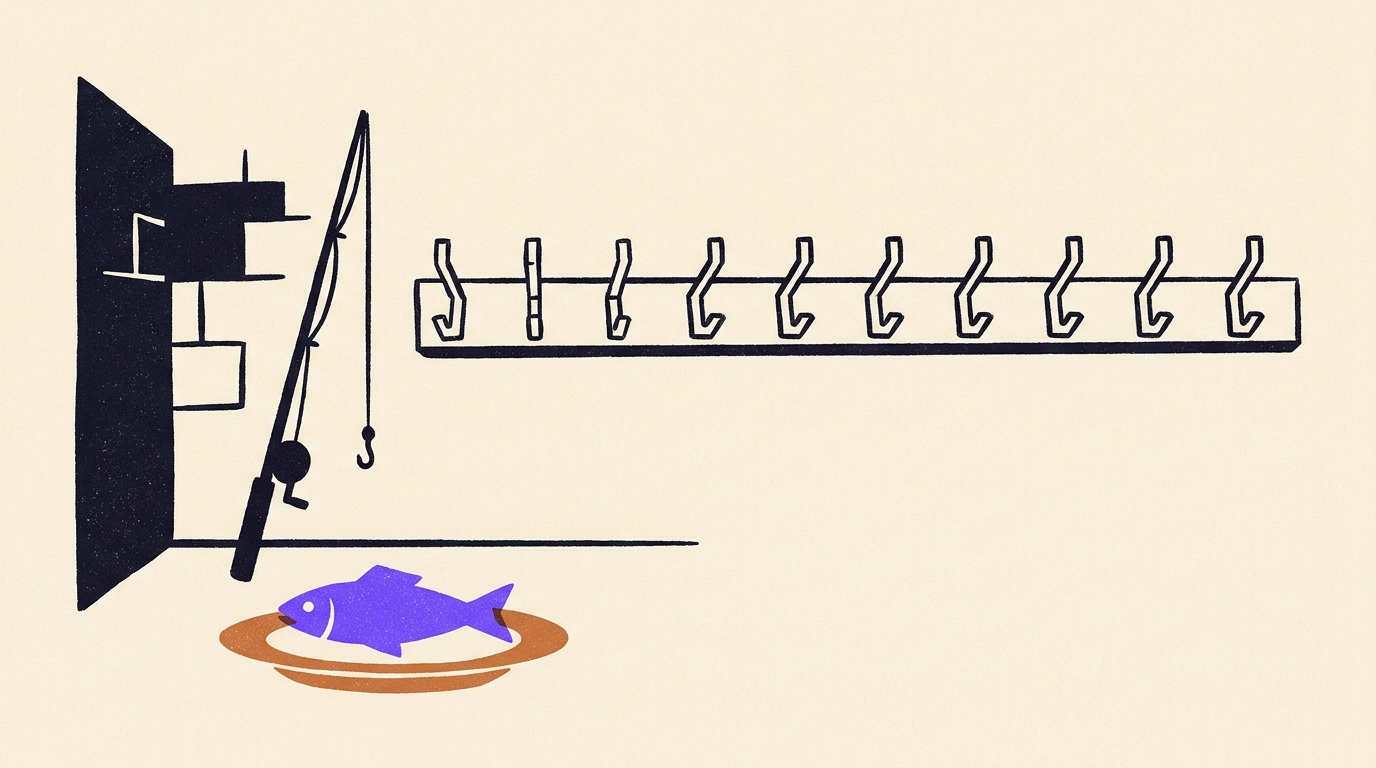
Handing everyone an agent app is like buying everyone in the company a fishing rod. A few people fish every day and most rods stay in the closet. The few who do fish catch for themselves, so the invoice chase runs on the days that one analyst remembers to prompt it.
There is also a quieter problem: knowing what to ask for. A blank prompt box assumes the user already knows which parts of their week an agent could take. Most people do not, which is the gap a companion piece on AI agents for productivity looks at from the individual's side.
What does it cost to have the agent built and run for you?
It costs you ownership of the machinery and some control over the pace, and in return the setup, checking and repair leave your team's desk. Whether that trade is good depends on what you wanted from the purchase.
The case for it is simple. With Uplift, a customer describes a routine and we build, test and run the agent, then keep it working as the connected systems change. The price is flat per package of agents, with no seats and no usage meter, so the whole organization can use what gets built. For teams that do not know where to begin, there is the Brainstormer. It goes role by role and proposes the routines that merit an agent, having learned from over 14,000 real automations built by people in similar roles.
On the other side of the ledger, you will not hold a codebase. If you end the plan, the agent stops. You depend on a supplier's queue for changes that a builder app would let you make in an afternoon, provided you have someone who can. A team with a capable in-house builder and stable systems will often do better with a builder app, and a team with a single curious user will do fine with a personal one.
If you are weighing any managed supplier, including us, put these to them in writing:
- What exactly do we keep if we leave, and in what format?
- Who is told when a run fails, and how quickly?
- Does a change to the routine cost extra, and how long does it take?
- Which steps does a person on our side approve before the agent acts?
A supplier who answers all four without hedging is worth a second meeting. The same questions work on a builder app, with "your own team" in place of the supplier, and the answers are often less comfortable. Our longer comparison of what an AI automation app leaves for you to do walks through that version, and the team-by-team page shows which routines tend to come first.
What better agents will and will not change.
Better models will shrink the reliability gap, and this article's benchmark figures will age badly. If METR's seven-month doubling holds, tasks that defeat an agent app today will be routine within a couple of years. Anyone who tells you personal agent apps will stay at 30% on office work is guessing against the trend.
Two cautions on that forecast. A trend measured on software and research tasks may not carry over cleanly to a purchasing department's ERP. And Gartner's June 2025 forecast expects cancellation for more than 40% of agentic AI projects before 2028, on grounds of cost, unclear value and weak risk controls. The same forecast estimates that only about 130 of the thousands of vendors claiming agentic products are the real thing. Capability is rising while a lot of projects are still expected to fail, and both forecasts can be right at once.
What this article cannot settle is whether a much more capable agent app makes the three-way split above disappear. It might. An agent that reliably finishes a four-hour task could plausibly set itself up, write its own log and report its own failures. Or the split survives, because a company still has to decide which person answers for a routine that runs in its name, however clever the software is. The distinction between an AI agent and agentic AI will matter more as that question gets closer.
Until someone has evidence either way, a workable habit is to re-run the choice once a year. Pick one routine, time how long a current agent app takes to do it unattended for a month, count the runs a person had to rescue, and let that number decide which of the three kinds you buy next.
Frequently asked questions
What is the best AI agent app?
It depends on who does the work. For one person's research and admin, the agent modes in ChatGPT, Claude or Gemini are strong. For a recurring job your own team will configure, a builder app such as Lindy or Zapier Agents fits. For a routine nobody on staff should have to build or repair, a managed service is the better match.
Is there a free AI agent app?
Several agent apps offer a free plan with limits on how many tasks or how much usage you get, and the limits change often, so check the vendor's pricing page on the day. For business use, the subscription is rarely the main cost. The hours spent setting up, checking and fixing the agent usually outweigh it.
What is the difference between an AI agent and a chatbot?
A chatbot answers in text and waits for your next message. An AI agent takes a goal and acts on it: it opens tools, reads pages, fills in forms and decides the order of steps itself. Many apps now contain both, which is why ChatGPT can be described as a chat app with an agent inside it.
Are AI agent apps safe to use at work?
They can be, with limits. An agent acting in company systems needs its own credentials, the narrowest permissions that let it do the job, a log of every action and a human approval step before anything irreversible such as a payment or an outbound email. An agent running on an employee's personal login has none of those.
Can I build an AI agent with ChatGPT?
You can configure a custom assistant or use agent mode for a task, and for personal use that is often enough. A company routine also needs a schedule, shared access to business systems, error handling and someone responsible for repairs. Those sit outside the chat window, whichever app you start from.